Screenshots
About NotiFilter
Your phone buzzes again: "Flash sale!", "50% off, today only", "Limited time offer". Most of these notifications come from apps you actually use, so turning their notifications off completely isn't an option: you would also lose the delivery updates, chat messages and bank alerts you need.
NotiFilter solves this differently. It is a notification blocker that filters by what a notification says, not by which app sends it. Add the words you never want to see, such as "sale", "promo" or "discount", and NotiFilter dismisses every matching notification the moment it arrives. Everything else comes through as usual.
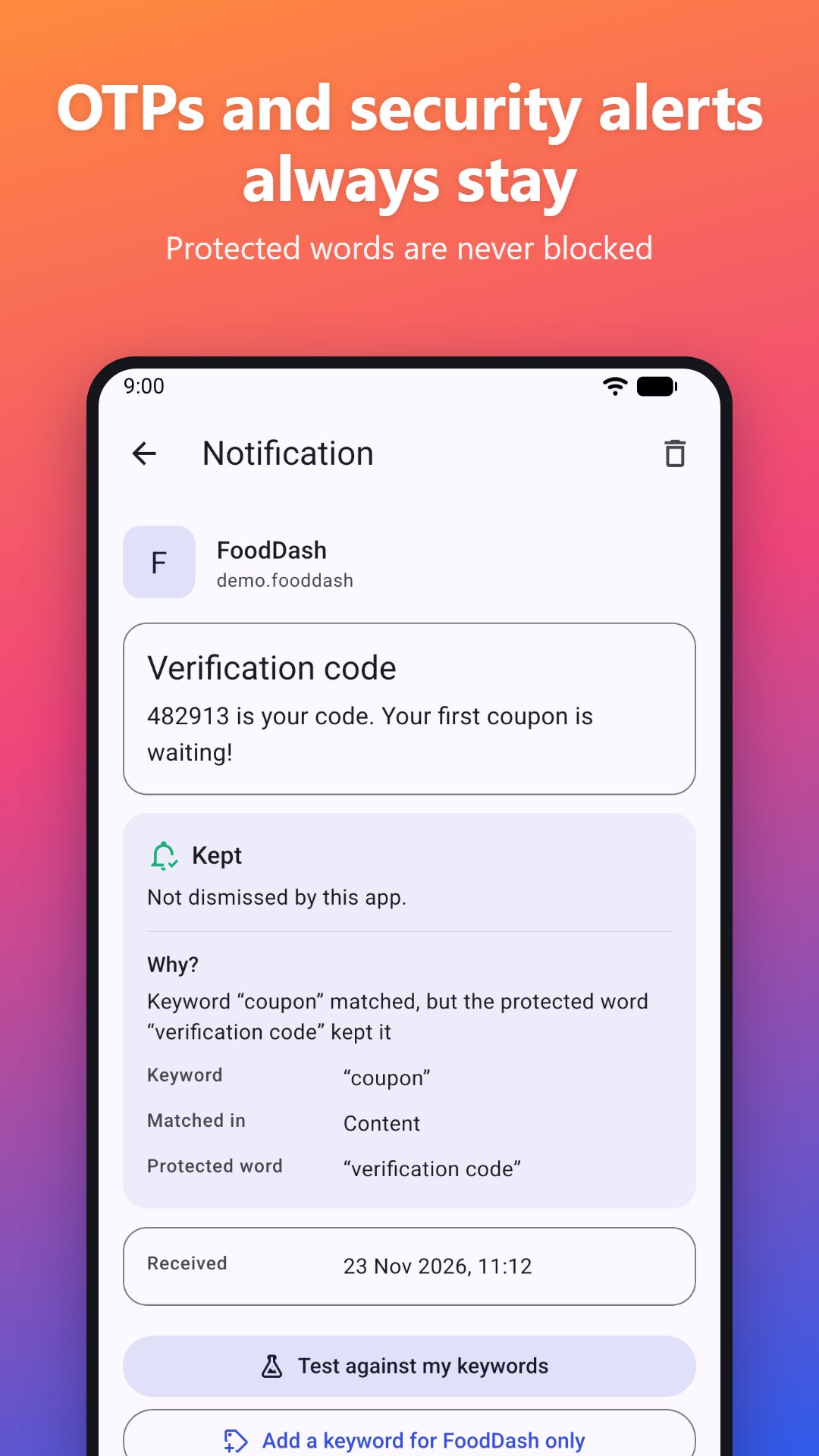
Your one-time codes are safe too: notifications with protected words like "verification code", "OTP" or "security alert" are always kept, even when a keyword matches.
How NotiFilter Works
NotiFilter uses Android's notification access to read each new notification and dismiss the ones that match your rules. It runs in the background, even when the app is closed.
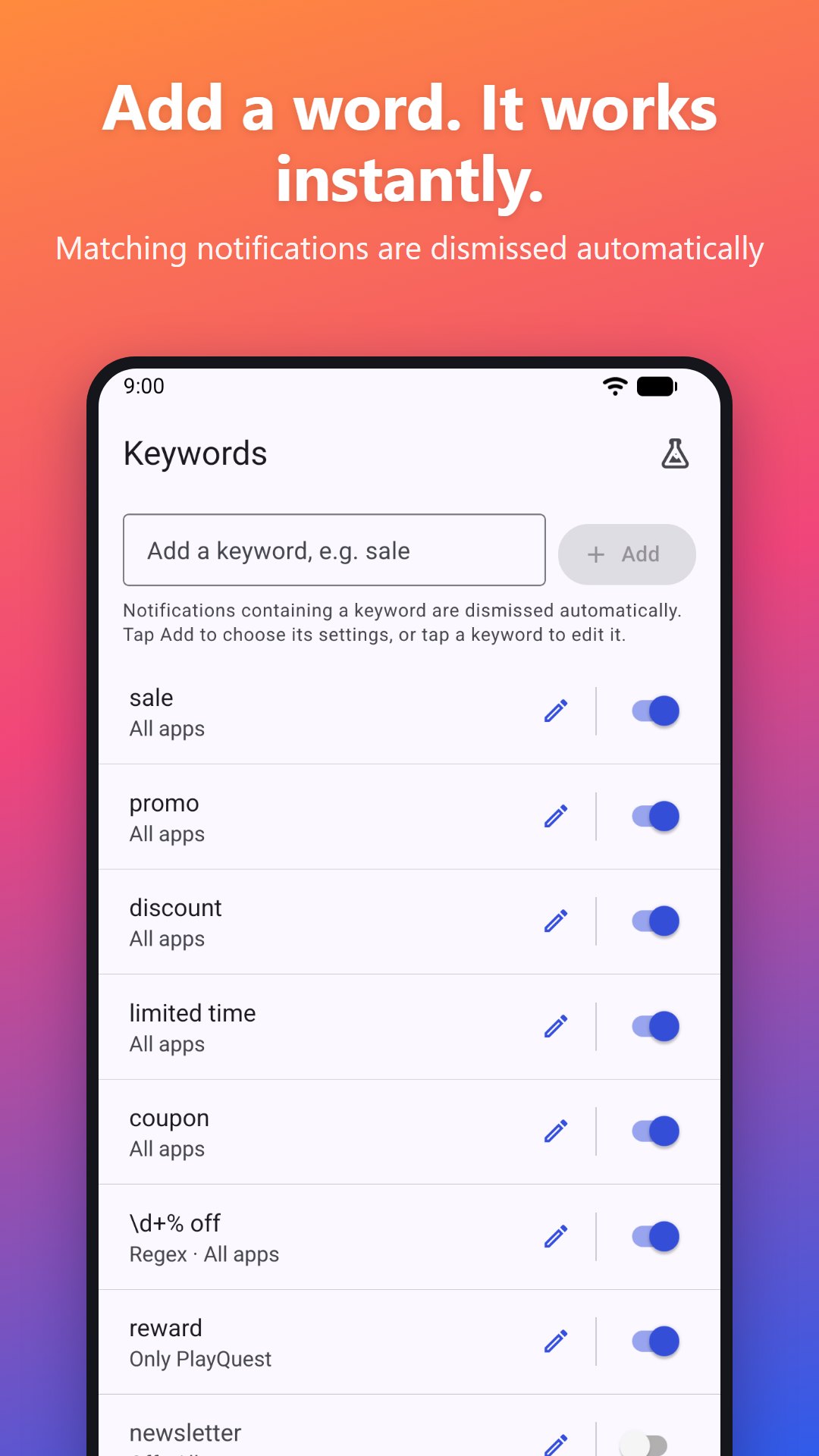
- Keywords — one keyword per line, each with its own settings
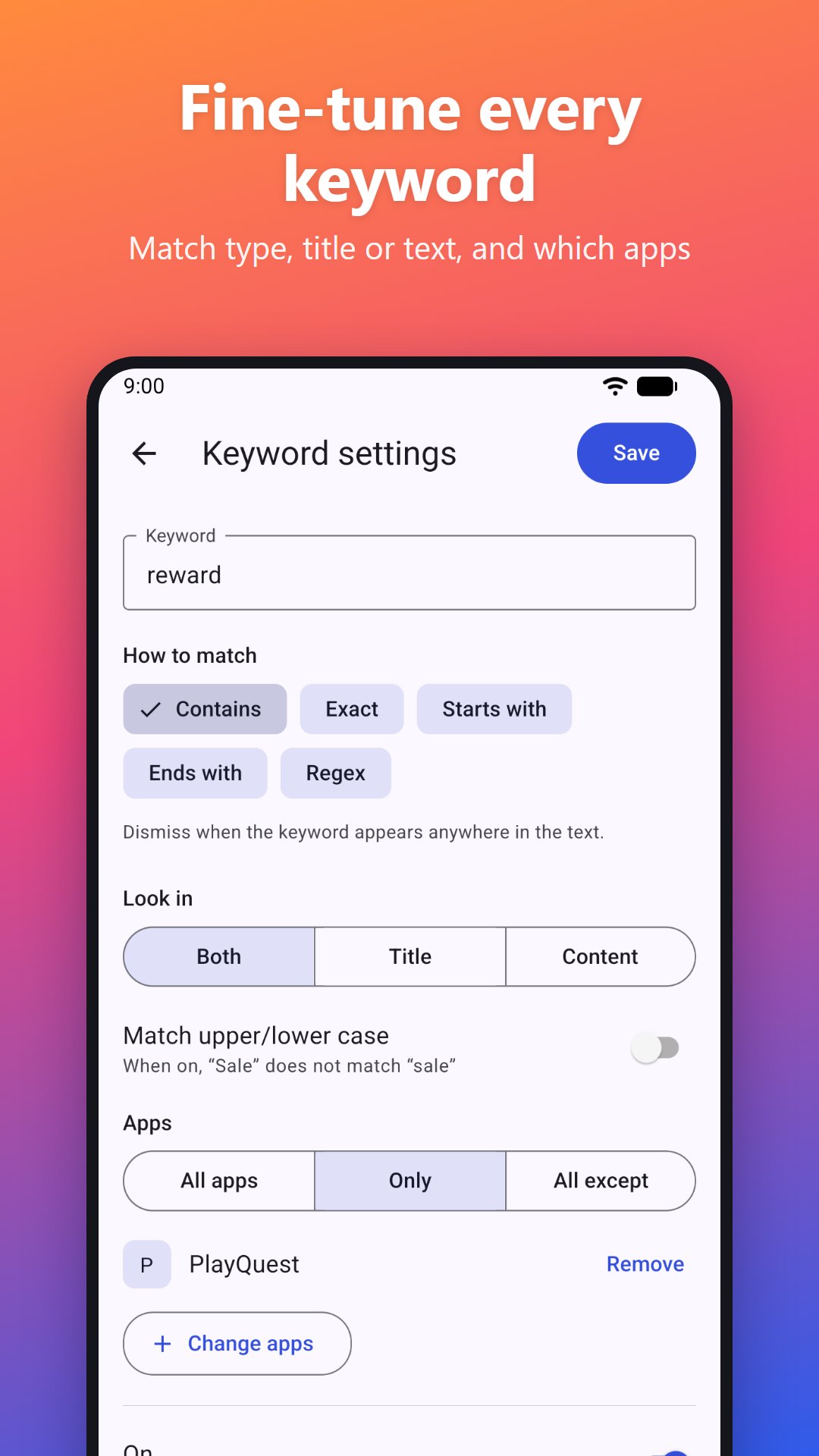
- Match types — contains, exact, starts with, ends with, or regex for advanced users
- Where to look — in the title, the text or both, with optional upper/lower case matching
- Which apps — use a keyword for all apps, only some apps, or all apps except some
- Protected words — notifications with these words are never removed
- Excluded apps — apps NotiFilter never touches
Ongoing notifications (music, navigation, calls) and system notifications are never filtered.
Features
Block notifications by their words
Add "sale", "promo" or "50% off" and matching notifications disappear.
OTPs always stay
Verification codes and security alerts are kept, even when a keyword matches.
Every keyword, your rules
Apply a keyword to all apps, only some apps, or all apps except some.
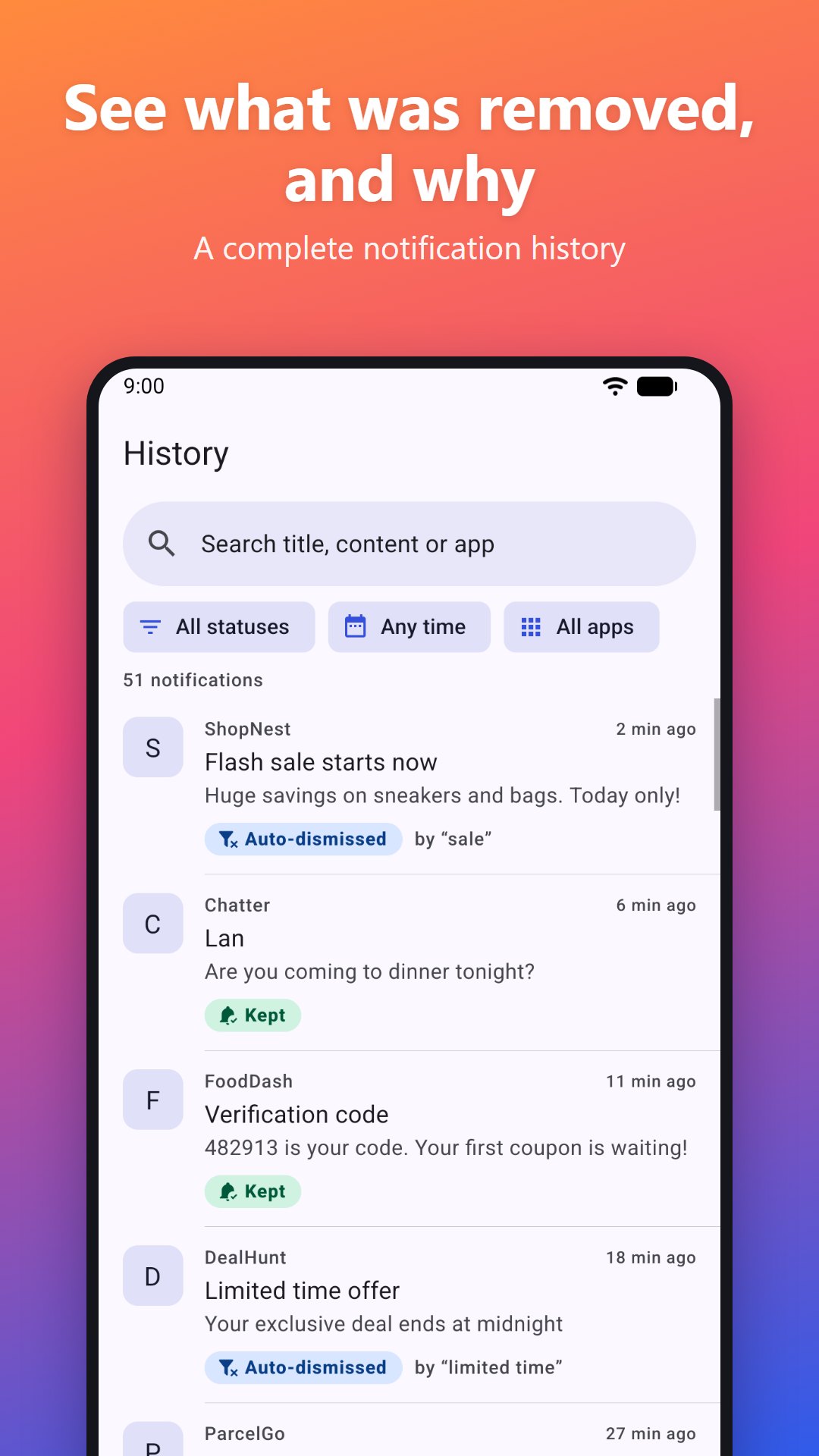
See what was removed, and why
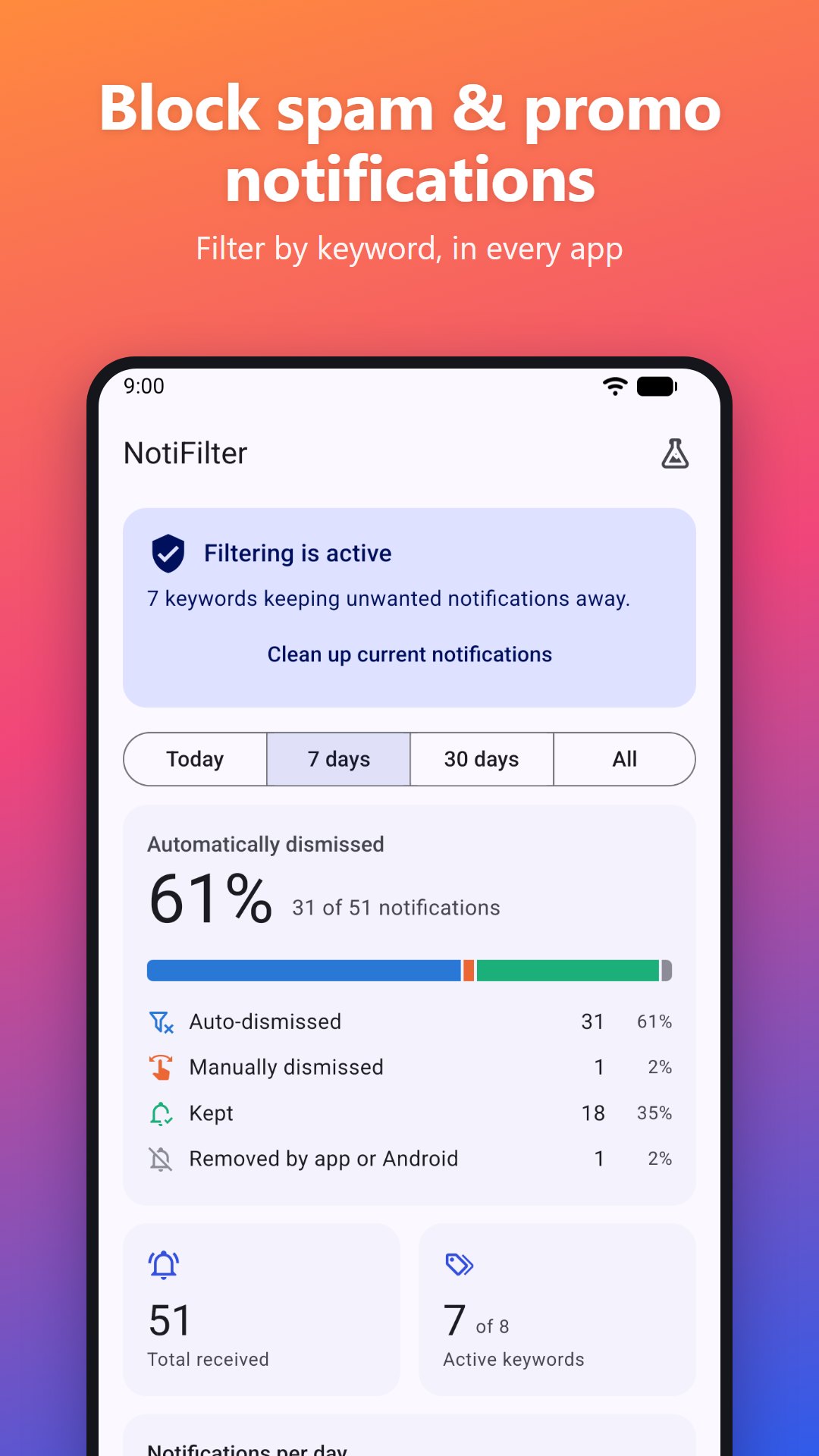
Every notification is logged as Auto-dismissed, You dismissed, Kept or Removed by app.
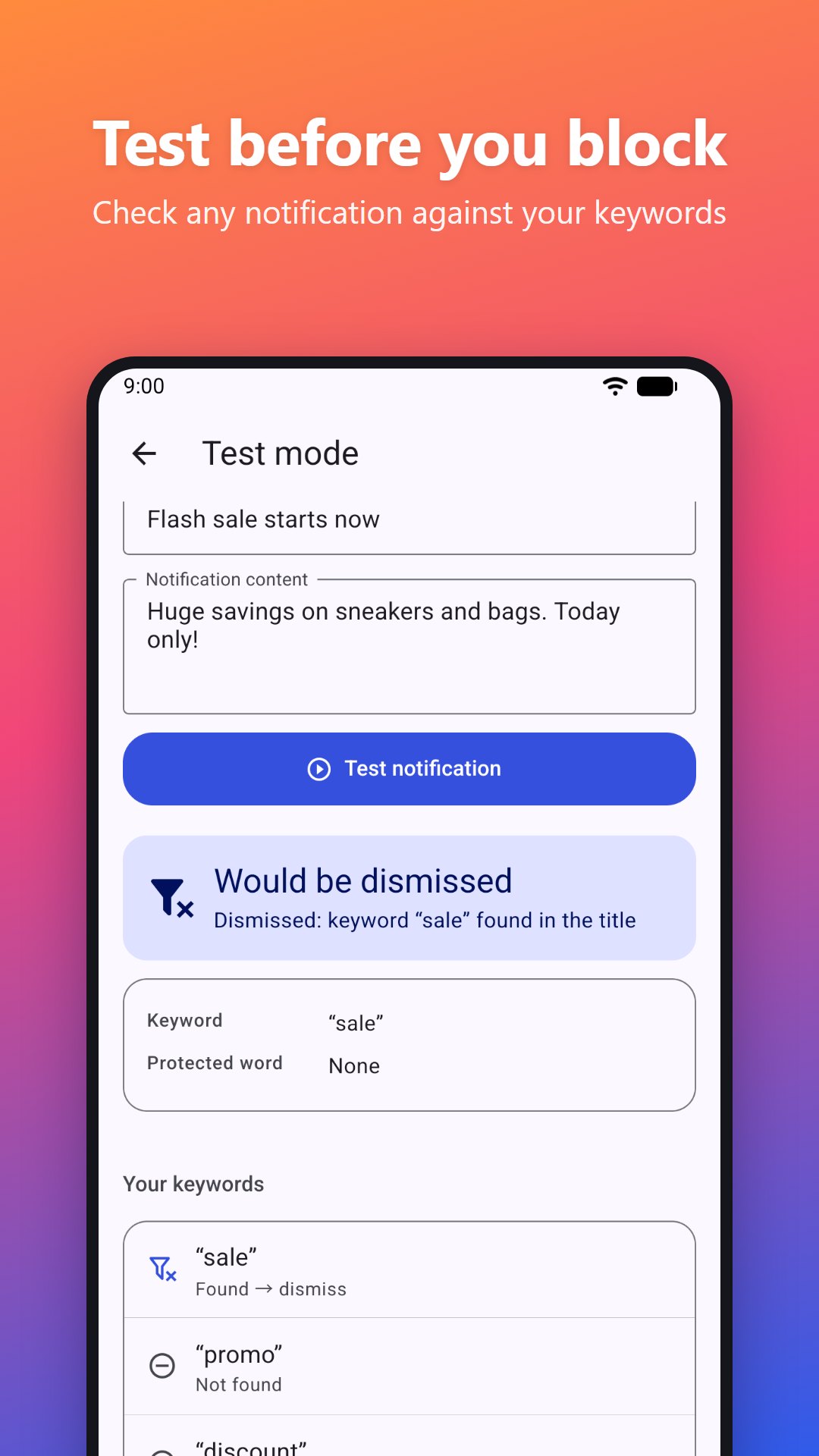
Test before you block
Check whether a notification would be blocked before it ever happens.
Clear the shade now
Remove matching notifications that are already on your phone with one tap.
Your notification noise, measured
See how many notifications were filtered, top apps and recent activity.
Your data, your files
Export history as CSV or JSON, and back up or move your keywords.
Nothing leaves your phone
Your notifications are never uploaded. No account, no sign-up.
Follows your theme
Matches your phone's light or dark mode automatically.
Private by Design
NotiFilter needs Android's notification access to read and dismiss notifications, and all of it happens on your phone. Your notifications are never uploaded: not their text, not their titles, not which apps sent them. There is no account and no sign-up. You choose how long history is kept and can delete it at any time, and an optional setting hides the app's content from screenshots and the recent apps screen.
The app is free and shows a small banner ad. The ad is provided by Google AdMob, as explained in the privacy policy.
Perfect For
- Shopping and food delivery apps that send daily sale and coupon notifications
- Games that keep sending "come back" and reward reminders
- Newsletters and promotions you can't switch off without losing useful alerts
- Anyone who wants a quiet phone without missing OTPs, chats and bank alerts
- People who want to know which apps send the most notifications
Frequently Asked Questions
What is NotiFilter?
NotiFilter is a notification blocker and filter for Android. It automatically removes notifications that contain your keywords, such as sale or promo alerts, and keeps everything else.
How is this different from turning off an app's notifications?
Android's settings turn off all notifications of an app or a channel. NotiFilter filters by the words in each notification, so you keep the useful notifications from an app and lose only the noise.
Will I miss my verification codes?
No. Notifications that contain a protected word, such as "verification code", "OTP" or "security alert", are always kept, even if a keyword matches. You can edit the protected words.
Can I see what was blocked?
Yes. Notification History lists every notification that was removed, kept or swiped away, with the reason. You can search it by text, app, status and date.
Does NotiFilter upload my notifications?
No. All filtering happens on your phone. Your notifications, keywords and history never leave it.
Does it block ads inside other apps or websites?
No. NotiFilter filters notifications only. It does not block ads inside apps or on websites.
Does it work on iPhone?
No. iOS does not allow apps to read or remove other apps' notifications, so NotiFilter is available for Android only (Android 8.0 or later).
Is NotiFilter free?
Yes. The app is free and supported by a small banner ad.
Which languages does the app support?
The app's screens are in English. The Google Play listing is available in 20 languages.
How to use it
- Install NotiFilter from Google Play and open it
- Allow notification access — the app shows you exactly what to tap
- Add a keyword such as "sale", "promo" or "discount"
- Done — matching notifications are removed automatically; check History to see what was filtered