Screenshots
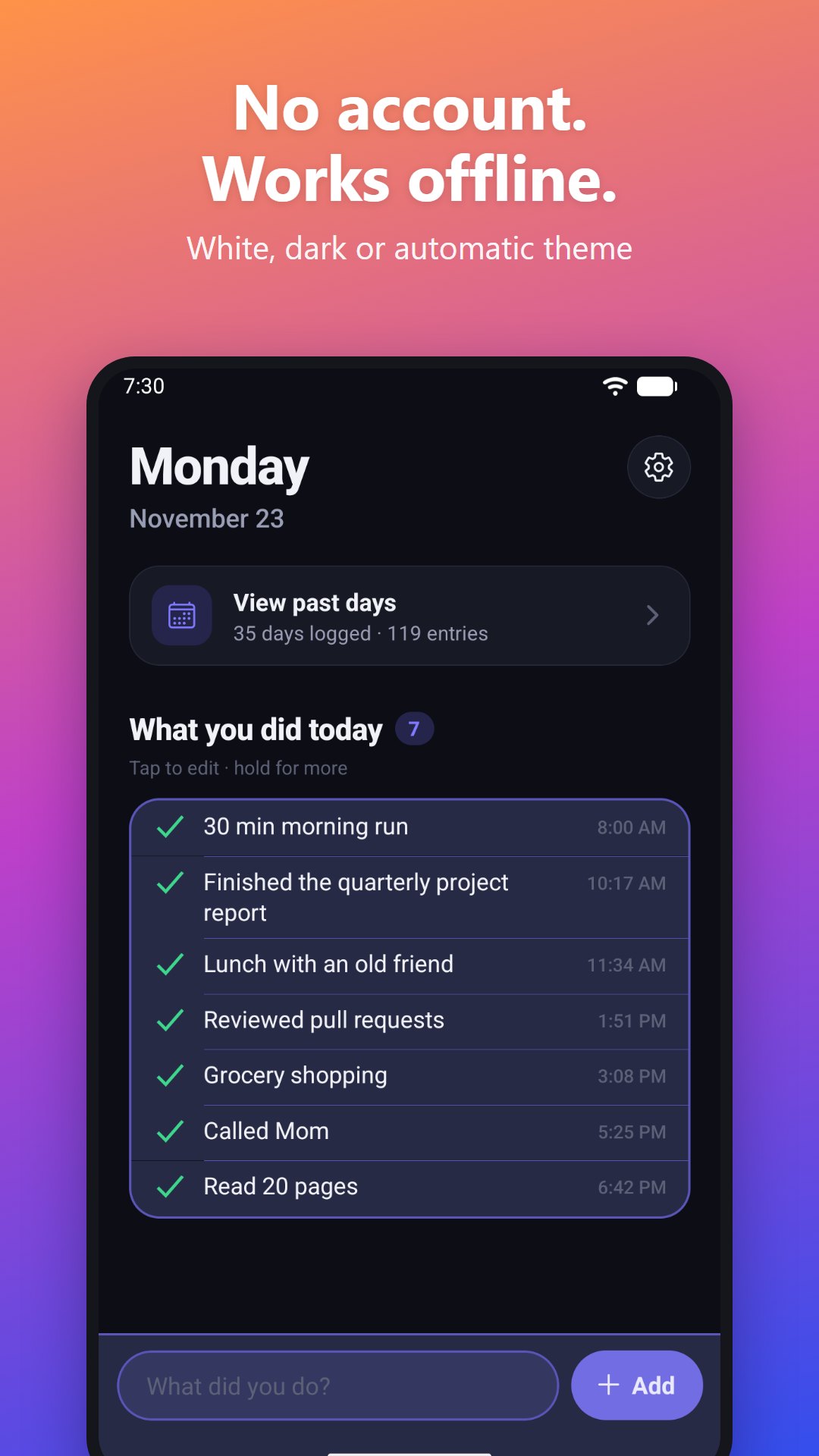
About Daily Log
At the end of the day it is easy to feel that nothing got done. A week later you can't remember what you worked on, and before the next stand-up or weekly report you scroll through chats and emails to find out. A classic diary would help, but few people have the time to write pages.
Daily Log is a simple daily journal and done list. A to-do list is about what you should do. A done list is about what you actually did: type one line about what you just finished and tap Add. Write one line a day or twenty. Over time your log becomes a diary of your work, habits and small wins.
There is no account and nothing to set up, and your entries are saved on your phone.
Daily Log is available now for Android on Google Play. The iOS version is coming soon to the App Store.
How Daily Log Works
One screen for today, one for everything before.
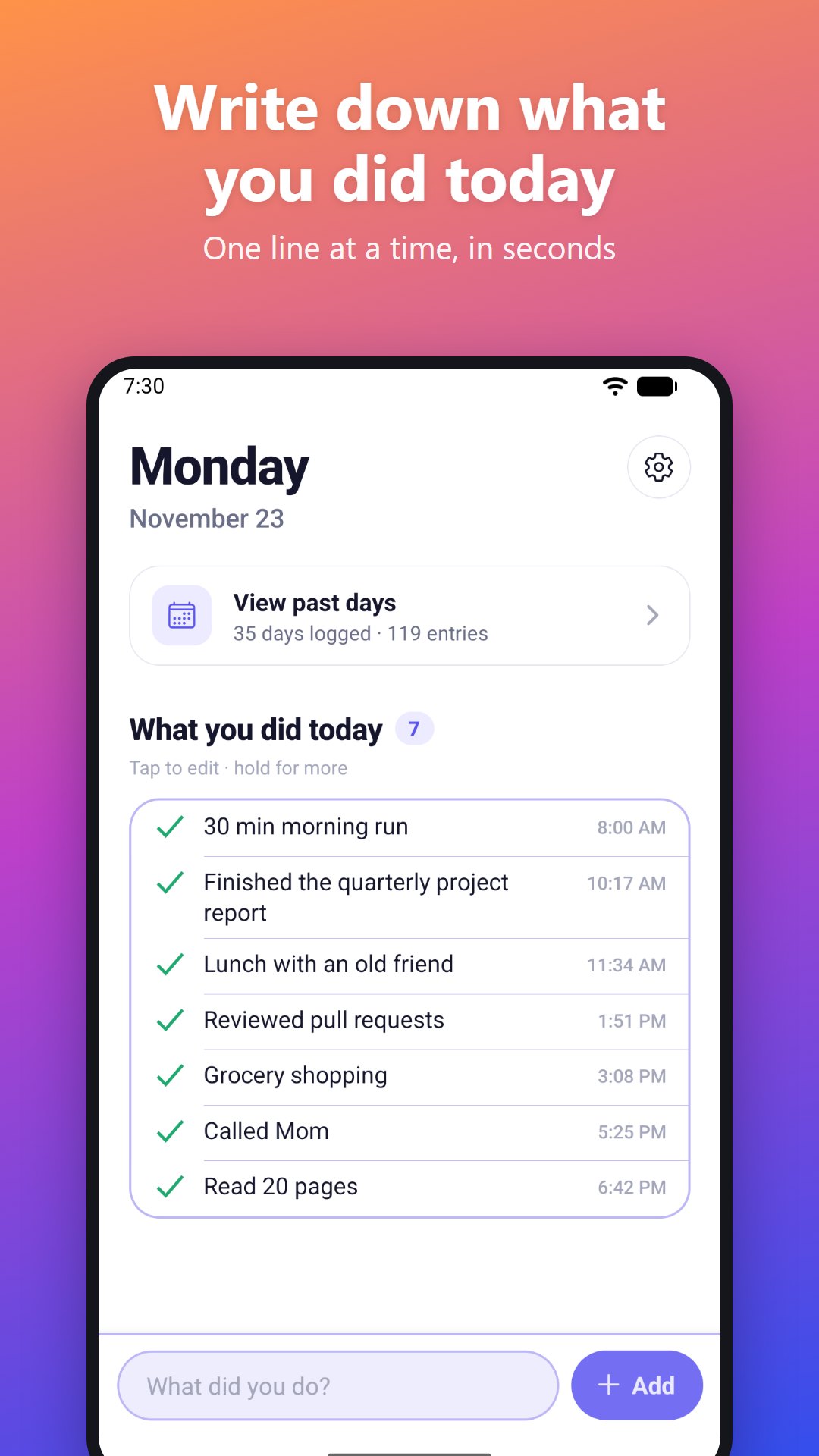
- Today — type what you did and tap Add; each entry is saved with the time
- Checklist — today's entries appear as a clean list with green check marks
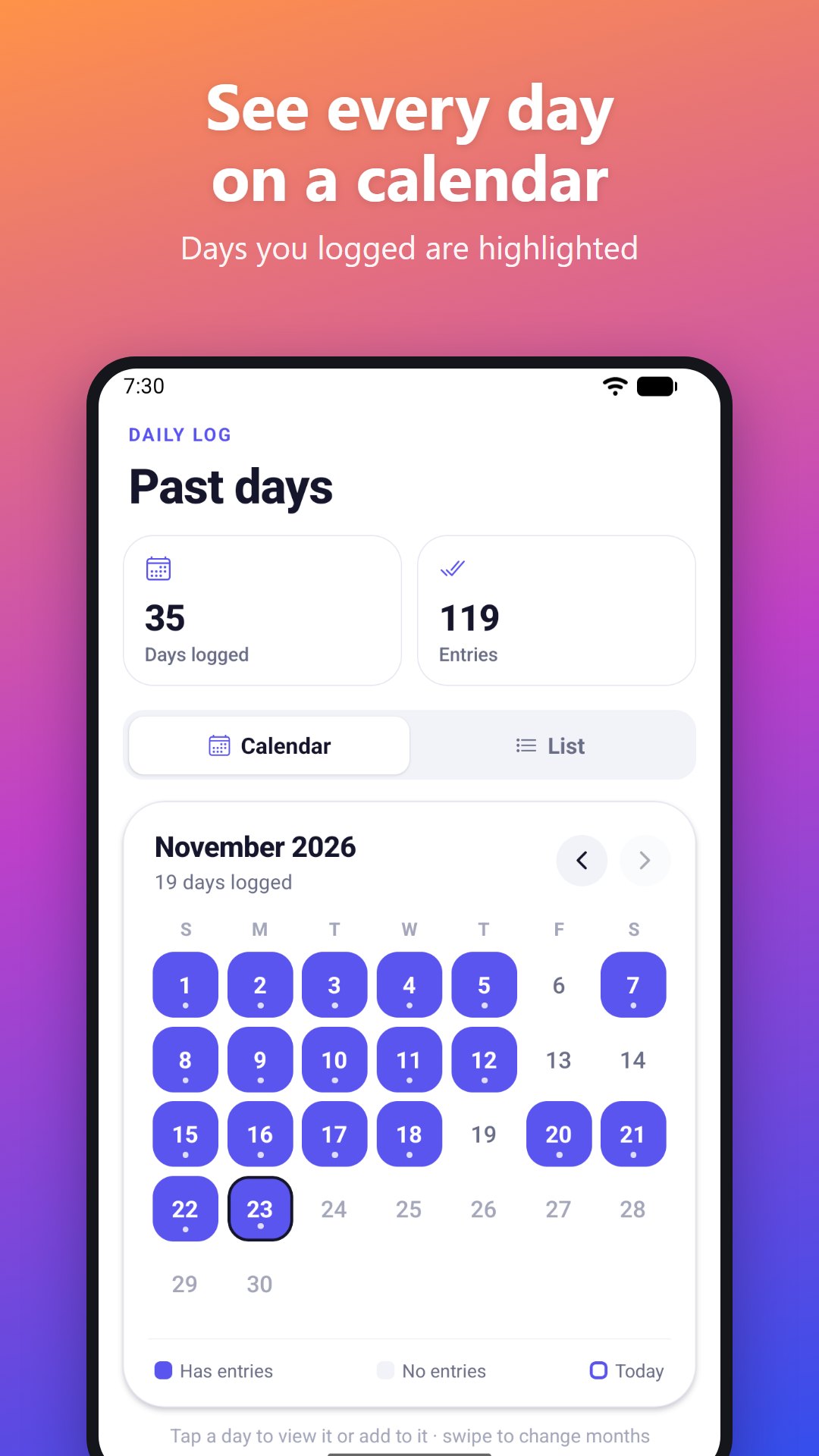
- Calendar — every day you logged is highlighted; swipe to change months
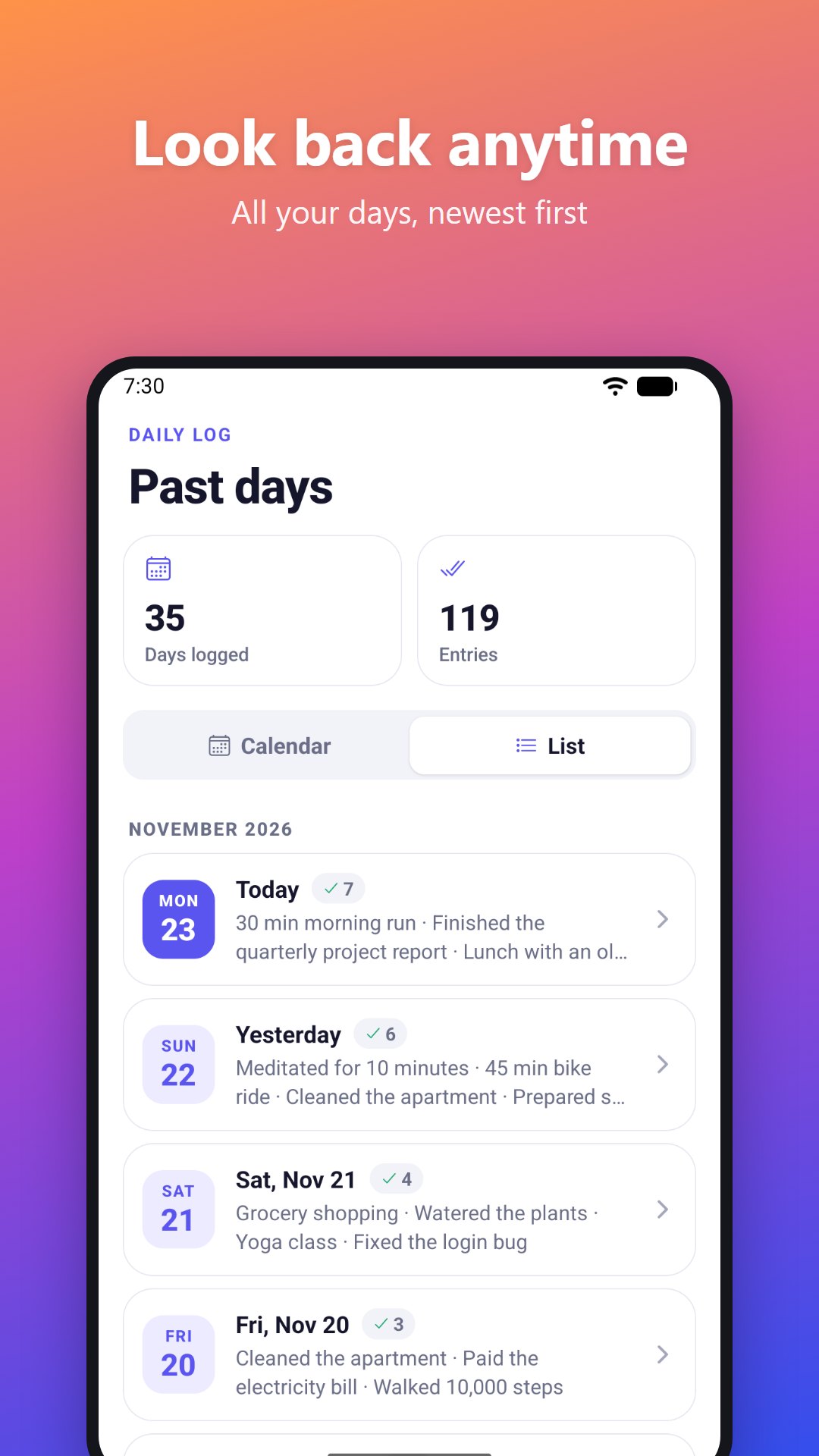
- List — all your logged days, newest first, with a preview of each day
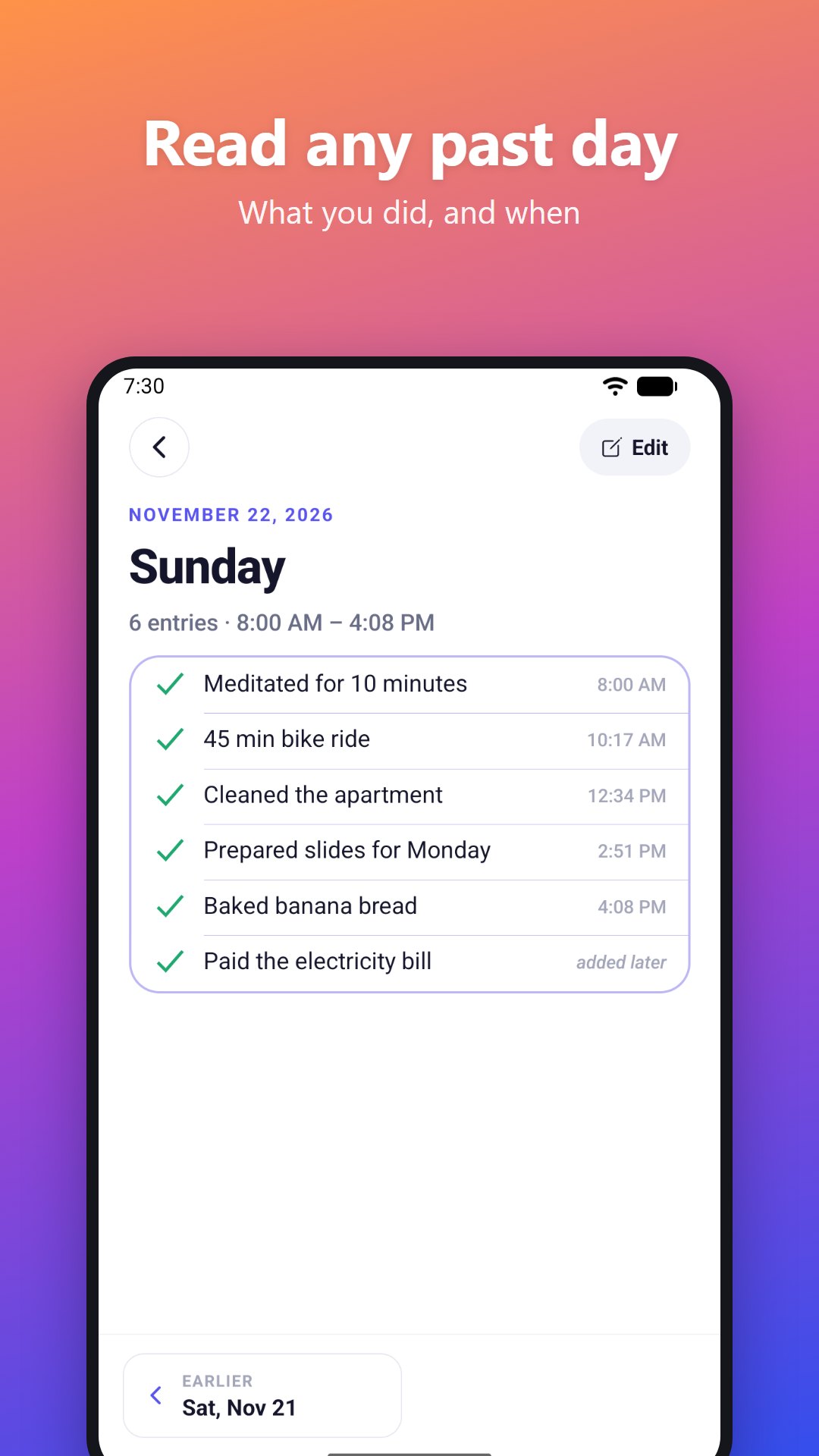
- Past days — open as read-only, so you don't change them by accident; tap Edit when you want to
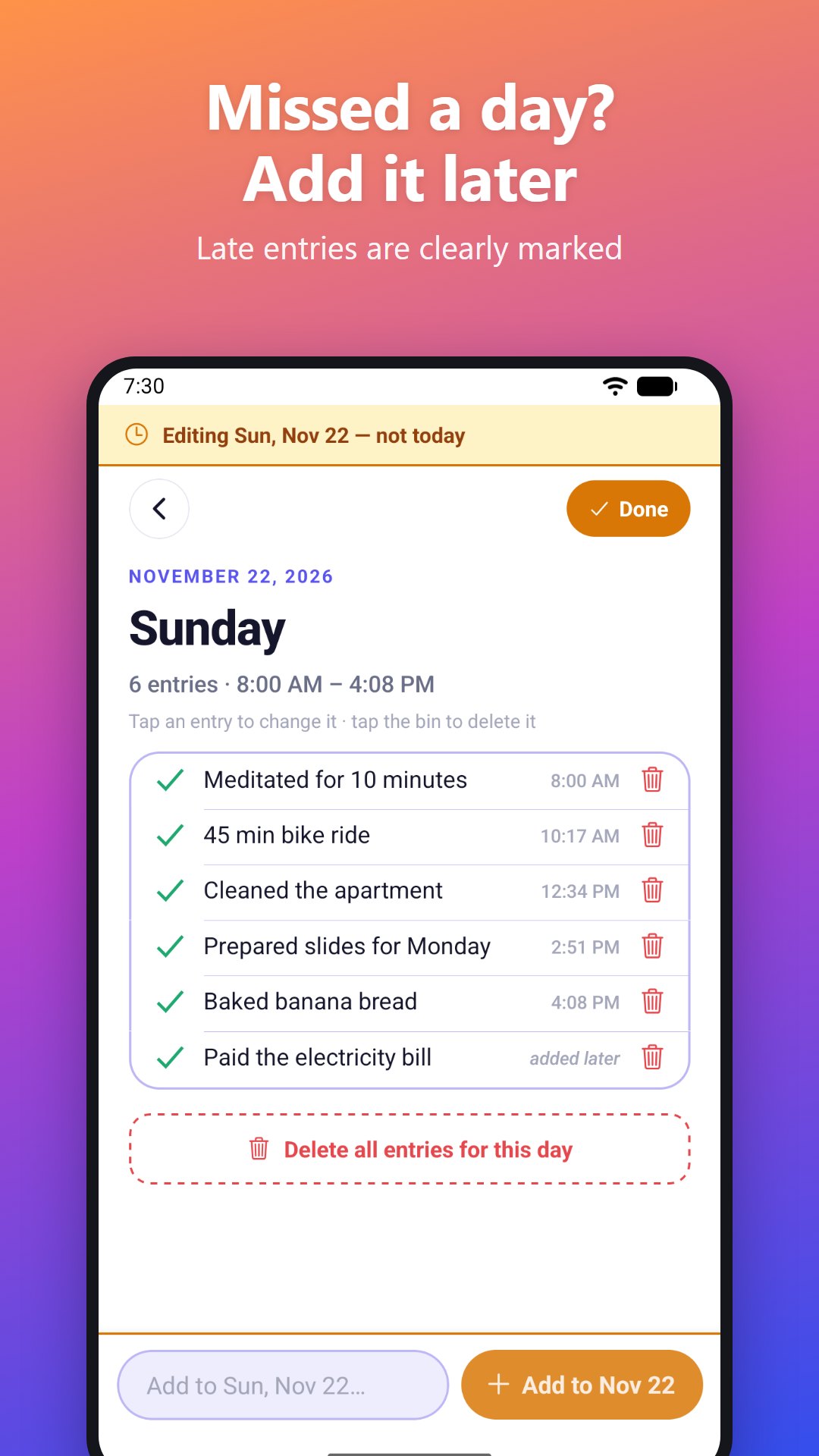
- Late entries — add what you did on a day you missed; it is marked "added later"
Features
Log your day in seconds
One line at a time, saved with the time you added it.
See what you actually did
Today's entries appear as a clean checklist with green check marks.
Every day you logged, at a glance
Logged days are highlighted, and you swipe to change months.
Your days, newest first
All your logged days grouped by month, with a preview of each day.
Missed a day? Add it later
Entries added afterwards are marked "added later", so your journal stays honest.
No accidental changes
Past days open as read-only until you tap Edit.
Easy to correct
Tap an entry to edit it, hold it to delete it, and tap Undo if you change your mind.
Watch your days add up
See how many days and entries you have logged.
A theme you like
Choose White, Dark or Automatic, which follows your phone.
Your log works anywhere
Everything you write and read works without internet, which is used only for ads.
Private by Design
Your entries are saved on your phone. There is no account and no server: your entries are never sent to us or to advertisers. If you use Android's Google backup, your phone includes your log in your own backup, so it can come back when you change phones.
The app is free and shows a small banner ad. The ad is provided by Google AdMob, as explained in the privacy policy.
Perfect For
- Stand-ups, weekly reports and performance reviews, when you need to know what you did
- A one line a day diary, when you don't have time to write a lot
- Tracking studies, workouts, side projects and habits in a daily activity log
- An accomplishment or gratitude journal
- Remembering what you did yesterday, last week or last month
Frequently Asked Questions
What is Daily Log?
Daily Log is a daily journal and done list. You write down what you did, one line at a time, and look back on any day in a calendar or a list.
What is a done list, and how is it different from a to-do list?
A to-do list holds what you plan to do. A done list holds what you have already done. It shows your progress, even on days when the plan did not work out.
Can I add something to a day I missed?
Yes. Tap the day in the calendar and add what you did. The entry is marked "added later". You can also edit past days: tap Edit on that day.
Does it work offline?
Yes. Writing and reading your log works without internet. The internet is used only for ads.
Do I need an account?
No. There is no sign-up and no login.
Where are my entries saved?
On your phone. They are not uploaded to us. If you use Android's Google backup, your phone includes them in your own backup.
Does Daily Log sync between phones or have a password?
No. It does not sync, and it has no password lock of its own. Use your phone's screen lock to keep your diary private.
Is there an iPhone (iOS) version?
It is coming soon. Daily Log is available now for Android 7.0 or later, and the iOS version will follow on the App Store.
Is Daily Log free?
Yes. The app is free and supported by a small banner ad.
Which languages does the app support?
The app's screens are in English. You can write your entries in any language. The Google Play listing is available in 20 languages.
How to use it
- Install Daily Log from Google Play and open it (iOS version coming soon)
- Type what you did — for example "30 min morning run"
- Tap Add — the entry is saved with the time
- Tap View past days to look back in the calendar or the list